
14 min read • Sep 14, 2026
Cash is no longer given at tip time. Today, 73% of guests don’t carry cash. Your housekeeping and valet teams feel that every shift, in tips they never see. Cashless tipping replaces that lost income with QR codes and payouts that land in minutes.
The technology itself is the easy part. Choice is what makes it hard. The platform you pick determines whether your rollout works or quietly stalls after two weeks.
The right cashless tipping platform has to fit the way your operation runs. That includes how you pool tips and how fast you get them to workers. It also has to support accurate compliance reporting without creating manual workarounds.
Knowing what to evaluate before rollout makes the difference. The goal isn’t just to launch a cashless tipping process. It’s to build a system your staff can trust.
Main takeaways
- A cashless tip is voluntary by definition. A prompt that forces a non-zero selection can reclassify the payment as a service charge under IRS rules.
- Payout speed, tip pooling flexibility, security certifications, integration depth, fee structure, and industry fit predict deployment success better than feature counts.
- Platforms that only support bank transfers exclude the roughly 4.2% of U.S. households that are unbanked. Prepaid card and digital wallet payouts close that gap.
- Managers and supervisors cannot participate in tip pools under federal law. Digital systems should enforce that exclusion at the role level rather than relying on manual oversight.
- Multi-role operations need flexible pool rules. Your platform should support different roles, shifts, and departments without forcing every tip into the same distribution model.
See why hospitality needs contactless tipping
Fewer guests carry cash every year. This guide breaks down what contactless tipping is, how it works, and how to roll it out at your property.
How cashless tipping works in four steps
Cashless tipping actually covers two jobs, and a complete platform handles both. Tip acceptance is the guest-facing side, capturing the gratuity without cash. Tip distribution is the back-end side, moving those tips to workers and into payroll. The four steps below run from one into the other.
Cashless tipping lets guests leave a gratuity by scanning a QR code and choosing an amount. They pay with Apple Pay, Google Pay, or a card entry, and the tip is routed to the worker. Platforms like eTip make that process even simpler. There’s no app download required, and workers can receive the funds within minutes through their preferred payout channel.
That four-step flow replaces the cash dependency that has quietly eroded tipped earnings. Debit cards now match cash for in-person payments under $25, according to the Federal Reserve. The small-dollar moments where tips happen most often are already going digital.
Step 1: Guest scans a QR code
QR codes go wherever the service happens:
- A table tent at a restaurant
- A card on the bedside table
- A tag on the valet ticket
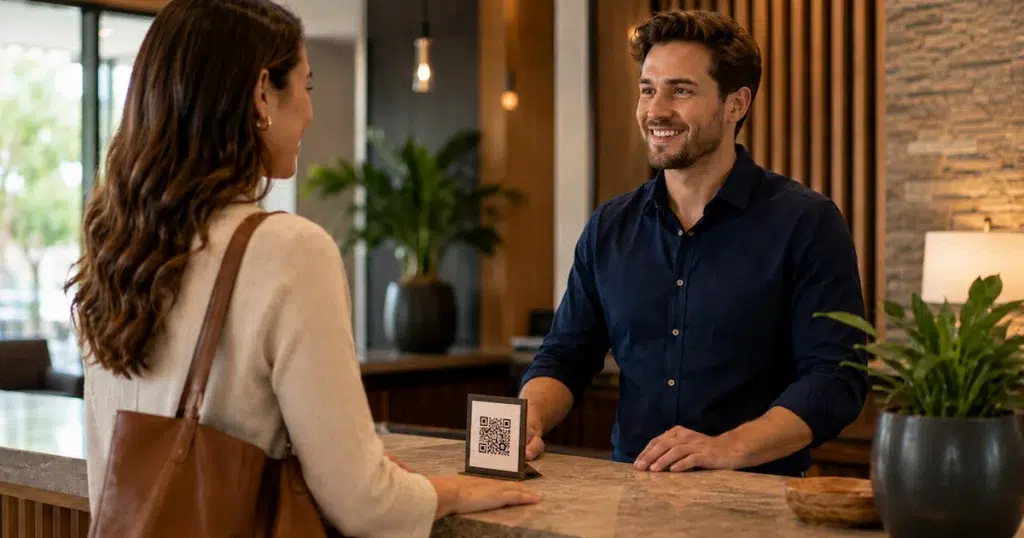
- A placard at the concierge desk
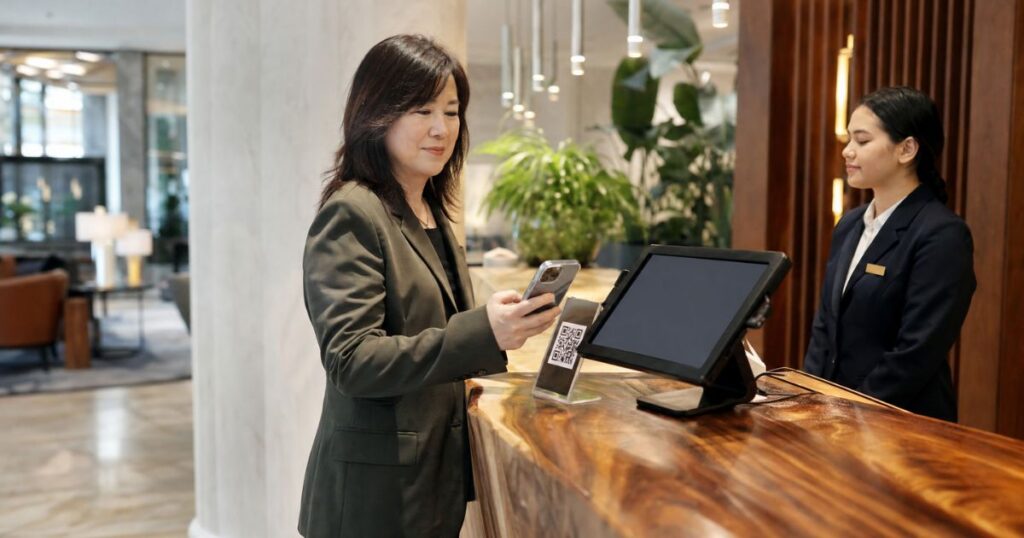
The guest scans the code with their phone camera or taps their phone against an NFC tag. The tipping page loads in the browser. There’s no app to install and no account to create. The entire entry point is a single scan.
Step 2: Guest selects an amount
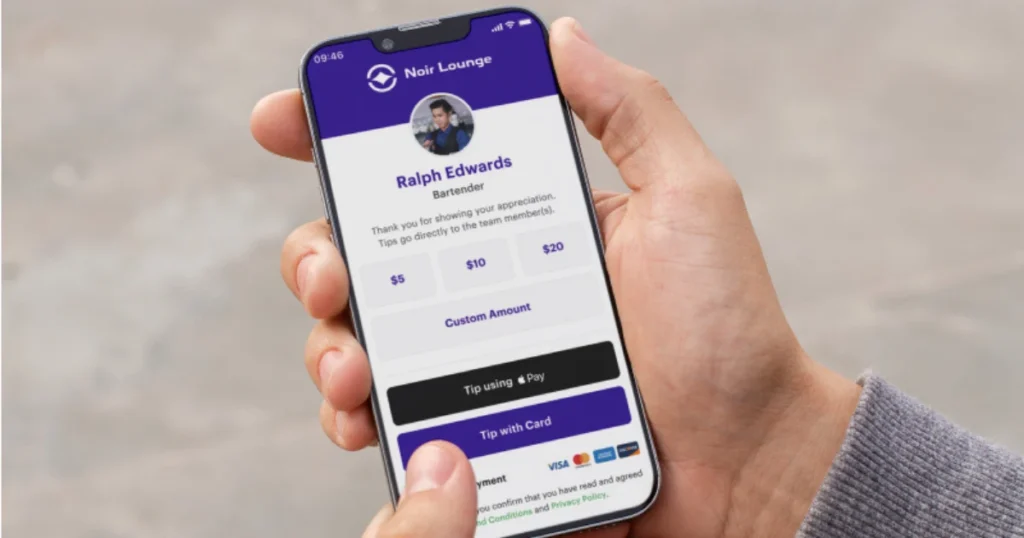
The screen shows preset tip amounts, typically $3, $5, and $10, alongside a custom-entry field. One detail matters here: the guest has to choose whether to tip and how much. Under IRS rules, a required payment isn’t a tip just because it’s labeled one. A digital prompt that requires a tip greater than zero may count as a service charge instead.
That distinction changes the tax treatment for both the operator and the worker. Service charges paid to employees are treated as wages, while voluntary tips are treated as tip income. Giving guests a “no tip” option keeps the choice voluntary.
Step 3: Guest pays by card or wallet
The guest completes the transaction with Apple Pay, Google Pay, or a manual card entry. No new credentials, no sign-up. Digital wallets represent 17% of U.S. in-store transaction value, per Worldpay. Card entry remains the primary path for most guests, so supporting both wallets and cards maximizes the number who follow through.
Step 4: Worker receives the tip
Funds route to the worker’s chosen payout channel within minutes. Options include a debit card, a bank account, or a prepaid card. Push-to-debit networks like Visa Direct can post funds in under a minute at participating issuers, according to Visa. That gap between “minutes” and “next pay cycle” is what makes the system feel real to workers on the floor.
Where cashless tipping fits: restaurants, hotels, and service operations
Cashless tipping has to fit the way each operation works. A counter-service restaurant has different staff roles and tipping moments than a 200-room hotel with valet, housekeeping, and F&B. QR placement changes with those touchpoints too. The platform that works for one may fail the other, so yours needs enough flexibility to support your venue.
Cashless tipping for restaurants
Restaurants benefit from faster tip capture at the table or counter and direct integration with POS and payroll workflows. Card and digital tips on the Toast platform averaged 19.3% at full-service restaurants and 15.8% at quick-service restaurants in Q1 2026, according to Toast. Those percentages give operators a planning baseline for cashless tip revenue once the system is live.
Cashless tipping also means less cash to handle at the end of a shift. That removes the nightly bank runs, drawer reconciliation, and end-of-shift counting that eat manager time and invite errors. Workers can access digital tips within minutes rather than waiting for pooled cash at close. That faster access supports recruiting too. In a labor market where hourly candidates compare offers on total comp, visible earnings become a tangible advantage in hiring conversations.
Replacing hourly staff is expensive, and turnover runs high in tipped roles. Fast tip access is one lever against that churn, and it lines up with what workers want. In a 2025 PYMNTS Intelligence study, 72% of workers said they prefer to be paid instantly when given the choice.
Cashless tipping for hotels and airports
Hotels and airports have roles where cash tips were already rare or gone. Housekeeping staff, skycaps, and concierge teams often went entire shifts without a gratuity because guests didn’t have bills on hand. Digital tipping creates an earnings channel for these roles that didn’t exist before.
Reaching each role starts with putting the QR code where the service happens:
- Bedside cards for housekeeping
- Ticket inserts for valet
- Desk signage for the concierge and bell staff
- Table tents for F&B outlets
- Kiosk cards at airport service counters
Each code ties to the right individual or pool, so tips reach the right person without manual sorting. That added income matters in a tight labor market. According to the American Hotel and Lodging Association, 65% of surveyed hotels reported staffing shortages. Better access to tip income gives operators another lever for retention.
A cashless tipping app that reaches housekeeping and valet teams gives operators a concrete advantage when competing for candidates. Properties on our platform have seen a $4.50/hr boost to staff earnings and a 60% improvement in retention. The payout experience translates directly into workforce stability.
How employees receive cashless tips
Workers choose how they want to receive their tips during onboarding. Once the system is live, they see each tip as it comes in, and funds can reach their chosen channel within minutes. A traditional bank account isn’t required. Cashless tipping platforms can support prepaid cards and digital wallets alongside standard bank transfers, which gives more workers a way to access their tips without waiting for the next payroll cycle.
Payout speed and channels
Available payout paths include direct deposit to a bank account, push-to-debit card, prepaid card, and digital wallets like PayPal, Venmo, or Cash App. Workers pick their preferred channel and can change it anytime. Push-to-debit rails such as Visa Direct and Mastercard Send settle in minutes, compared to next-day or multi-day ACH cycles. That speed difference shapes how workers perceive the system.
Each tip appears as it arrives, with a running total by shift, day, or pay period. Workers see exactly what they earned and when. That replaces the unclear “envelope at end of shift” model with a real-time picture of their income.
There’s also a federal limit on how long employers can hold credit card tips. Under Department of Labor guidance, tips due to workers must be paid no later than the regular payday. Employers can’t hold them while waiting for reimbursement from the card issuer. Instant or same-day payouts get funds to workers well before that deadline.
Cashless tip payouts without a bank account
Not every worker has a traditional bank account. The FDIC reports that roughly 5.6 million U.S. households, 4.2% of the total, were unbanked in 2023. Cashless tipping can still reach these workers through prepaid debit cards and digital wallets. That gives staff another way to receive their tips without relying on direct deposit, so every tipped employee can be paid regardless of banking status.
Tip pooling in a cashless tipping system
Cashless tipping changes how tips come in, but you still decide how they move across your team. Digital tip pooling automates that process based on the rules your operation already uses. You can set different rules by role, shift, hours worked, or department. That replaces the manual math and envelope systems that break down the moment your operation involves more than one tipped role.
How pool rules work
The primary rule types are equal split by role, weighted split, share by hours worked, and shift-based share by hours. These can be combined. A hotel F&B outlet might weight distribution by role (servers at 60%, bussers at 25%, barbacks at 15%), then prorate each worker’s share by hours worked that shift. The platform applies the math on every transaction automatically.
In a full-service hotel, housekeeping tips, valet tips, and restaurant tips may each run separate pools with different rules. A cashless tipping platform should manage all of them under one property dashboard. For multi-property operators, pool configurations should be reusable across locations and adjustable per site to account for local labor agreements or state-level tip pooling laws.
What pool rules cannot do
Managers and supervisors cannot participate in tip pools under federal law. Digital systems should enforce this exclusion at the role level rather than relying on manual oversight, because manual oversight is where violations happen.
Operators should also document pool rules and make them accessible to staff. Digital audit trails simplify that documentation compared to paper-based systems, which gives you a solid record if a dispute arises.
Tax, compliance, and the No Tax on Tips rules
The 2025 No Tax on Tips Act (IRC §224) created a new individual deduction for qualified tips through 2028. The deduction only applies if the tip is voluntary, properly classified, and documented. Operators who get the classification wrong deny workers the deduction and create audit exposure for themselves.
Tips vs. service charges vs. auto-gratuities
A tip is a voluntary payment from the guest. A service charge, mandatory gratuity, or auto-gratuity is wages. The IRS explicitly warns that digital prompts requiring a non-zero “tip” selection may reclassify the payment as a service charge. That changes payroll tax treatment and removes the payment from the new deduction. This is the single most important compliance decision in your cashless tipping setup.
What the new deduction requires
IRC §224 allows eligible workers to deduct up to $25,000 in qualified tips each year. The deduction begins to phase out when modified adjusted gross income (MAGI) exceeds $150,000, or $300,000 for joint filers.
Not every tip or tipped role qualifies. Under final IRS regulations, qualified tips must meet specific requirements, and workers must earn them in an occupation on the IRS list of qualifying tipped occupations. Voluntary charged tips can qualify, while mandatory service charges do not.
That puts new reporting requirements on employers. Form W-2 now uses Box 12 code TP to report cash tips and Box 14b for Treasury Tipped Occupation Codes, so employers need to track both the tip amount and the worker’s occupation correctly.
Digital records make that reporting easier. A cashless tipping platform can keep transaction and recipient data together instead of relying on separate paper records, which gives operators a clearer record for payroll and tax reporting. Confirm classification and reporting requirements with your tax advisor, and before rollout, make sure your platform captures the information your operation needs to report correctly.
What to consider before rolling out cashless tipping
A successful cashless tipping rollout takes some planning beyond choosing a platform. Think through the guest experience, security, and staff setup before launch. Addressing these areas early helps you build a smoother rollout for both guests and employees.
Guest hesitation and adoption friction
Some guests view QR-code tipping as impersonal. Others feel prompted to tip where they wouldn’t have with cash. You can reduce this friction by keeping tip selection voluntary, offering a clear “no tip” option, and placing QR codes only where tipping is already expected.
Guests who would have tipped in cash will tip digitally. Those who wouldn’t have tipped at all shouldn’t feel pressured. Older or less tech-comfortable guests may not engage at all, and brief signage with one-line instructions helps close that gap.
Staff should be able to explain the process in a single sentence: “Scan the QR code to leave a tip, no app needed.” You won’t convert every guest, and you don’t need to. You need to capture the tips currently lost because cash isn’t available.
Security and fraud concerns
Whether QR-code payment links are secure depends on the platform’s certifications, not on the technology itself. PCI DSS v4.0 future-dated requirements became mandatory on March 31, 2025, according to the PCI Security Standards Council. Any cashless tipping platform handling cardholder data must now meet strengthened controls, including phishing defense and skimming detection.
Verify that your platform holds a current PCI DSS v4.0.1 Attestation of Compliance. Ideally it should also hold a SOC 2 Type II certification. PCI DSS covers payment card data specifically, while SOC 2 covers broader data-handling practices. Ask for the SAQ scope (SAQ A or SAQ A-EP is typical for QR-based flows). No-app-required flows reduce the attack surface further, because no guest data is stored on a device.
Policy setup and staff buy-in
Setting up pool rules, role mappings, and payout preferences takes planning. Operators who skip this step risk starting with rules that don’t reflect how tips actually move across their teams. A quick review before launch can catch mismatched rules before they affect real payouts.
Getting the setup right is only part of the rollout. Staff also need to trust that it works. Workers need to see their first payout arrive quickly and accurately before they trust the system. Plan for a two-week adoption curve where you monitor payout completion rates and answer questions in real time. The first few payouts do more to build confidence than any training session.
How to choose a cashless tipping platform
Evaluate a cashless tipping platform on six operational criteria:
- Payout speed
- Tip pooling flexibility
- Security certifications
- Integration depth
- Fee structure
- Industry fit
These predict deployment success better than feature counts or marketing claims. Here’s a closer look at all six.
Payout speed and pooling flexibility
Payout speed determines worker trust. Does the platform support instant push-to-debit, or only next-day ACH? Can workers choose their channel? Does it serve unbanked staff with prepaid or digital wallet options? A platform that only offers bank transfers excludes part of your workforce from the start. Ask what controls sit around those payouts too: payout caps, the ability to reverse an errored payment, and accurate per-worker records. Those guardrails catch the mistakes that cash makes easy to miss.
Pooling flexibility determines operational fit. Can you configure role-weighted, shift-prorated, and multi-department pools? Or are you limited to equal splits that don’t reflect how your teams actually work? The answer separates cashless tipping software built for multi-role operations from tools designed for single-venue restaurants.
Security, integrations, and fees
Require a current PCI DSS v4.0.1 AOC and SOC 2 Type II report, and ask for the SAQ scope. These aren’t optional credentials. They’re the baseline for any platform handling tipping payment data in 2026.
Beyond certifications, the platform should connect to your PMS, POS, and payroll system through a real-time sync, not a manual export. We integrate with Oracle, ADP, Workday, UKG, and Toast, for example, so tip data syncs directly into payroll workflows without CSV handoffs.
Fee structure varies more than most operators expect. Ask who pays: guest, operator, or a split. Check whether there are per-transaction fees, monthly platform fees, or both. Then model the total cost per tip at your volume with real numbers before you sign.
Industry fit matters just as much. A digital tipping app built for restaurants may lack the housekeeping, valet, and multi-department pooling logic that hotels require. Ask for references in your specific property type.
Run tip pools across every department without spreadsheets
Multi-role operations need pooling logic that handles housekeeping, valet, and F\\&B under one dashboard. See how our tip management software handles the configuration and compliance automatically.
Platform evaluation criteria at a glance
The table below turns the six criteria into a scorecard you can bring to vendor demos. Each criterion maps to a real result that affects whether the platform works at your property.
| Criterion | What to ask | Why it matters |
|---|---|---|
| Payout speed | Instant push-to-debit, same-day, or next-day? | Workers expect same-shift access; delays reduce trust and adoption |
| Tip pooling flexibility | Role-weighted, shift-prorated, multi-department? | Simplistic splits create pay disputes in multi-role operations |
| Security certifications | PCI DSS v4.0.1 AOC, SOC 2 Type II? | Mandatory since March 2025; protects guest and worker data |
| Integration depth | Real-time PMS/POS/payroll sync, or manual export? | Manual exports add admin hours and error risk |
| Fee structure | Guest-paid, operator-paid, or split? Per-transaction, monthly, or both? | Total cost per tip varies widely; model it at your volume |
| Industry fit | Hotel, restaurant, airport, or multi-property references? | A restaurant-only platform may lack housekeeping and valet logic |
Implementation checklist for launching cashless tipping
A successful cashless tipping launch follows a dependable sequence: map touchpoints, configure pools, connect integrations, train staff, deploy signage, and set up reporting. Skipping any step creates the adoption gaps that kill rollouts in the first two weeks.
Touchpoints, pools, and integrations
Start by mapping every tipping touchpoint by role and location:
- Housekeeping visits
- Valet stands
- Front desk
- Restaurant tables and bar counters
- Concierge desks
Each touchpoint gets a unique QR code tied to the correct pool or individual. Missing a touchpoint means missing tips at that service moment.
Configure tip pool rules before launch. Define role weights, shift share by hours, and department boundaries while you can test without affecting live earnings. Run the configuration with a small team first, and verify that payouts match your intended distribution logic. Then connect the platform to your PMS, POS, and payroll system. Confirm that tip data flows correctly into payroll exports and that payout channels are active for every enrolled worker before you go property-wide.
Staff training, signage, and reporting
Train staff in two parts. First, show them how they receive and access their tips: the app, the payout channel selection, and the real-time notifications. Second, give them a one-sentence explanation for guests: “Scan the QR code to leave a tip, no app needed.” Workers who understand both sides become the system’s best advocates.
Deploy signage at every mapped touchpoint with a brief instruction and the QR code. Test the scan-to-payment flow on multiple devices before go-live. A broken link or slow-loading page on launch day undermines staff confidence before the system has a chance to prove itself.
Set up weekly reporting dashboards covering tips by role, tips by touchpoint, payout completion rates, and guest adoption rate. Use the first 30 days to identify low-performing touchpoints, then adjust QR placement or signage accordingly. Review pool distribution reports with department leads monthly to confirm the rules are working as intended. The data from those first four weeks tells you exactly where the system is earning its keep and where it needs adjustment.
Start earning more with eTip digital tipping
You now know what to look for in a cashless tipping platform. Payout speed, pooling flexibility, compliance, integrations, and security all shape the right fit. The next step is getting the rollout right: map your tipping touchpoints, configure pools before launch, and use the first 30 days of data to refine placement and rules.
We built eTip to connect QR codes at every service touchpoint to instant payouts in the worker’s chosen channel. Your housekeeping, valet, and F&B teams can receive cashless tips within minutes instead of waiting for the next pay cycle.
Every location runs the same tip pool rules without manual math. Our audit trails export directly into ADP, Workday, or UKG, so your payroll team stays compliant without rebuilding reports by hand. See how eTip’s Digital Tipping works across hotel, restaurant, and airport touchpoints.
Put instant payouts in your housekeeping team’s hands
Housekeeping and valet teams are the roles most likely to go an entire shift without a tip when guests carry no cash. A 30-minute demo shows you exactly how QR placement and payout configuration work at your property type.
FAQs about cashless tipping
Choose a platform that supports prepaid debit cards and digital wallets like PayPal or Venmo alongside push-to-debit payouts. These options let workers without bank accounts receive tips within minutes of the guest transaction. Platforms like eTip support multiple payout channels, so workers can choose an option that fits how they access their money. Requiring a bank account excludes part of your workforce before the system goes live.
Yes, if your platform supports multi-department pool configuration under one property dashboard. You can assign role-weighted rules to restaurant staff, individual attribution to valet, and shift-prorated pools to housekeeping, with no system switching or manual reconciliation. Multi-department logic is a platform selection criterion, so test pool rule setup during the demo phase to confirm the platform handles your actual department structure.
The guest sees a voluntary tip selection screen. They choose “no tip” or close the browser, and no transaction occurs. The operator’s dashboard records the scan as a zero-tip interaction for reporting purposes only. A forced non-zero prompt can reclassify the payment as a service charge under IRS rules. Zero-tip scans are a feature of correct setup, not a problem to fix.
Ask the vendor for a named integrations list. Confirm whether your specific POS, PMS, and payroll provider (Oracle, ADP, Workday, UKG, Toast, Square, and others) supports real-time sync or requires manual export. Real-time sync eliminates the admin hours manual exports add. Request a test sync during the demo to verify tip data flows correctly into your payroll workflow before you commit.
Yes. Digital tips count as tip income for FLSA tip credit purposes as long as the worker retains the full amount and the payment meets the voluntary standard. Operators must still track and report all tips to satisfy minimum wage and recordkeeping requirements, per the U.S. Department of Labor, Fact Sheet #15. Digital systems simplify that obligation with automated logs that provide the audit trail the DOL requires for tip credit claims. Confirm your pooling and reporting practices with labor counsel for federal and state compliance.